
Five device classes
SmartPOS, desktop, tablet, mobile, and browser — the same operation, with no parallel version.
Platform · Operations layer
Standardized operation across different devices, on a single technology base.
A chain rarely has the same equipment across every location. A street-front store, a mall kiosk, and an events operation each call for different hardware, and every new purchase joins a fleet that's already heterogeneous. When the system requires a specific device, the chain ends up deciding its operation based on what the software accepts — not on what the venue needs.
The cost shows up in three places. In capital, because standardizing hardware to match the software means replacing equipment that still works. In training, because every parallel POS version is one more manual, one more script, and one more refresher cycle. And in expansion, because opening a location stops being a repeatable process and becomes an infrastructure project.
Layer 01
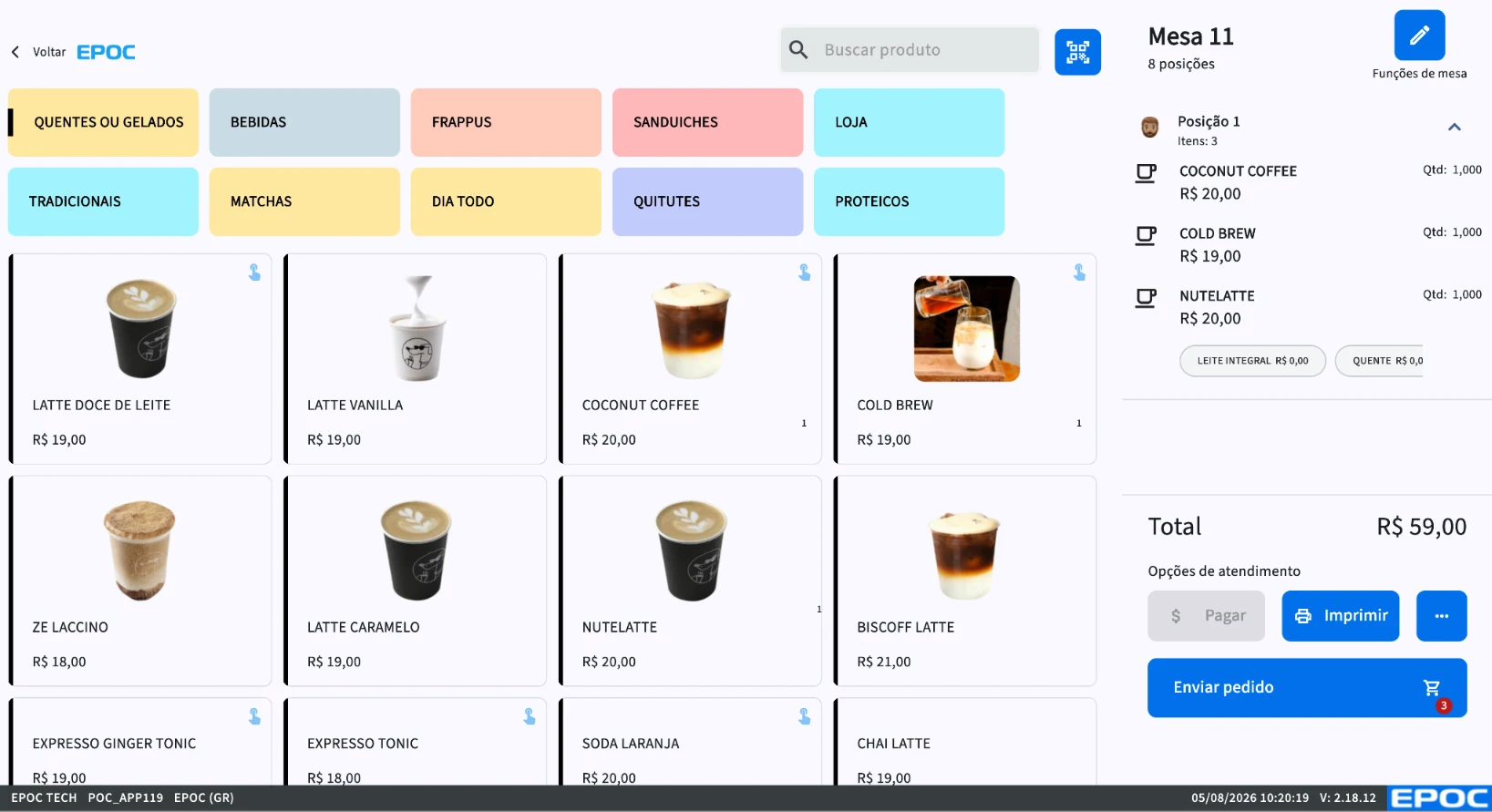
This is where the order originates. Everything the POS records flows up to the Multi-store ERP, which applies the chain's rule, and ends in the Data Lake, from where the data feeds the customer's BI.
SmartPOS, desktop, tablet, mobile, and browser — the same operation, with no parallel version.
The terminal keeps entering orders and closing tabs without internet; synchronization happens when the connection returns.
Order tied to the seat at the table, for dining room service that needs to know who ordered what.
Opening, transferring, merging, and splitting tabs without leaving the service flow.
Multiple terminals and mobile registers in the same venue, sharing the same tab.
Fixes and new features reach every device at the same time.
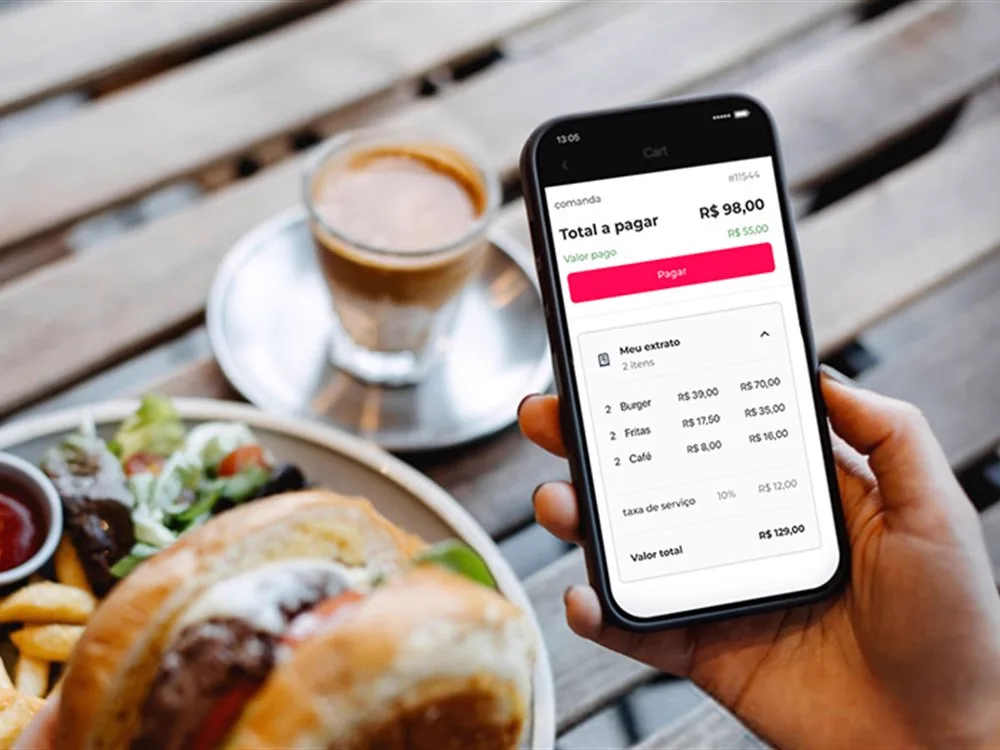
One check takes several payments in different methods, with the amount already paid and the amount still due always in sight — the table closes with no calculator and no queue at the register.


Technology ready for the hour when everything happens at once.
Order concentration at peak times, multiple simultaneous points of sale, and check closeouts under queue pressure.
That's not a premise of the product. The POS runs on all five device classes, so the existing fleet is usually reusable. What determines replacement is the condition of the equipment, not a software requirement — and that's evaluated in the implementation assessment.
The terminal keeps entering orders and closing checks locally. When the connection is restored, synchronization happens without operator intervention.
No. The interface and the rules are the same across all of them, which reduces training material to a single set and allows staff to be reassigned between locations with different equipment.
Through the same architecture: the order recorded on the POS flows up to the Multi-store ERP, which centralizes menu, price, and permissions, and is dispatched to the KDS in production. There's no file-based integration or manual synchronization.
Talk to a specialist
How many locations, what stack is already running, what needs to be integrated, and what the rollout would look like.