7 Reasons to Invest in Self-Service Kiosks
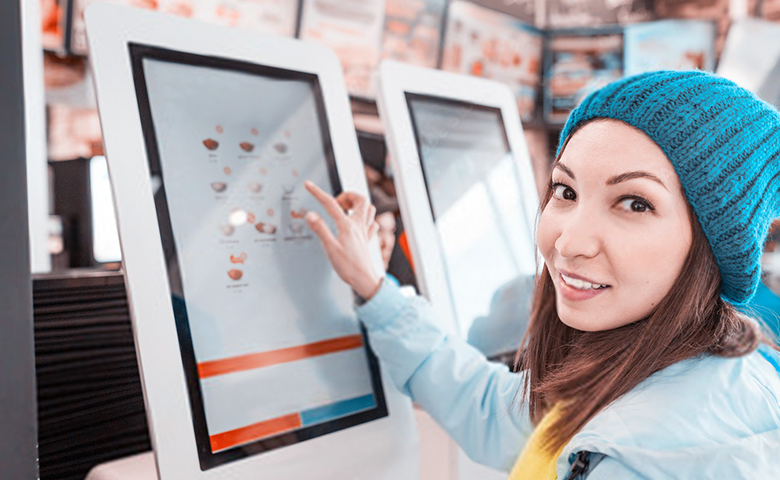
Self-service kiosks are showing up in more and more restaurants and bars. Riding the wave of digital transformation, the most forward-thinking venues have adopted this technology to speed up orders, simplify payments, improve the customer experience, and cut costs.
If you're looking to streamline your operation and maximize your business's profits, this is definitely a solution you need to know about!
In this article, learn everything about self-service kiosks and how to implement one in your bar or restaurant. Keep reading!
The self-service trend in restaurants and bars
You've probably already used a self-service kiosk. After all, this technology isn't exactly new. It's already quite common for withdrawing cash at the bank, checking in for a flight, paying for groceries, or grabbing a number at a clinic.
However, it's only in recent years that this solution has also been gaining ground in the food service market. And for good reason: the sector's digitalization was accelerated by the coronavirus pandemic, and it became a demand from consumers. Logo, é preciso se adaptar aos novos padrões de consumo.
Major fast food chains got a head start and have been investing heavily in self-service. McDonald's, in fact, is already testing a store with no staff at all. Nela, o cliente faz o pedido em uma tela e os robôs preparam e entregam o lanche.
Of course, that's still an isolated case, but it points to the path restaurants and bars are likely to follow going forward. To start, let's take a closer look at self-service systems below!
What is a self-service kiosk?
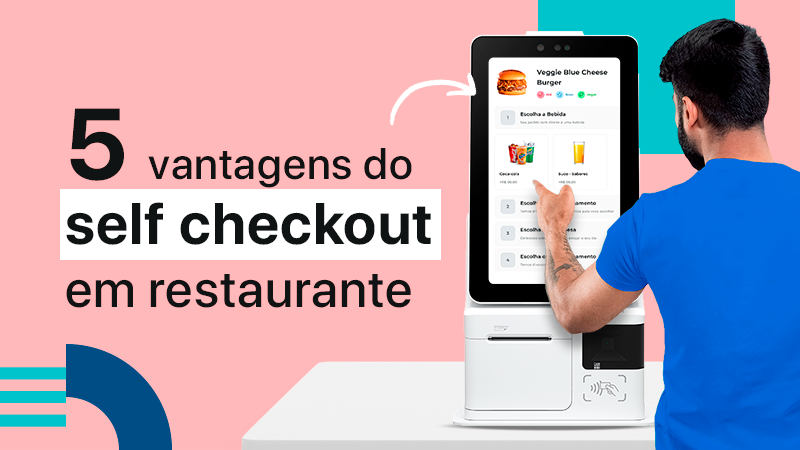
A self-service kiosk is a device that lets customers place their order and pay on their own, without needing to interact with anyone else. It's also known as a self-service terminal or ordering kiosk.
In bars and restaurants, this device displays a digital menu on a touchscreen and is connected to the sales (POS), inventory, KDS, and payment systems.
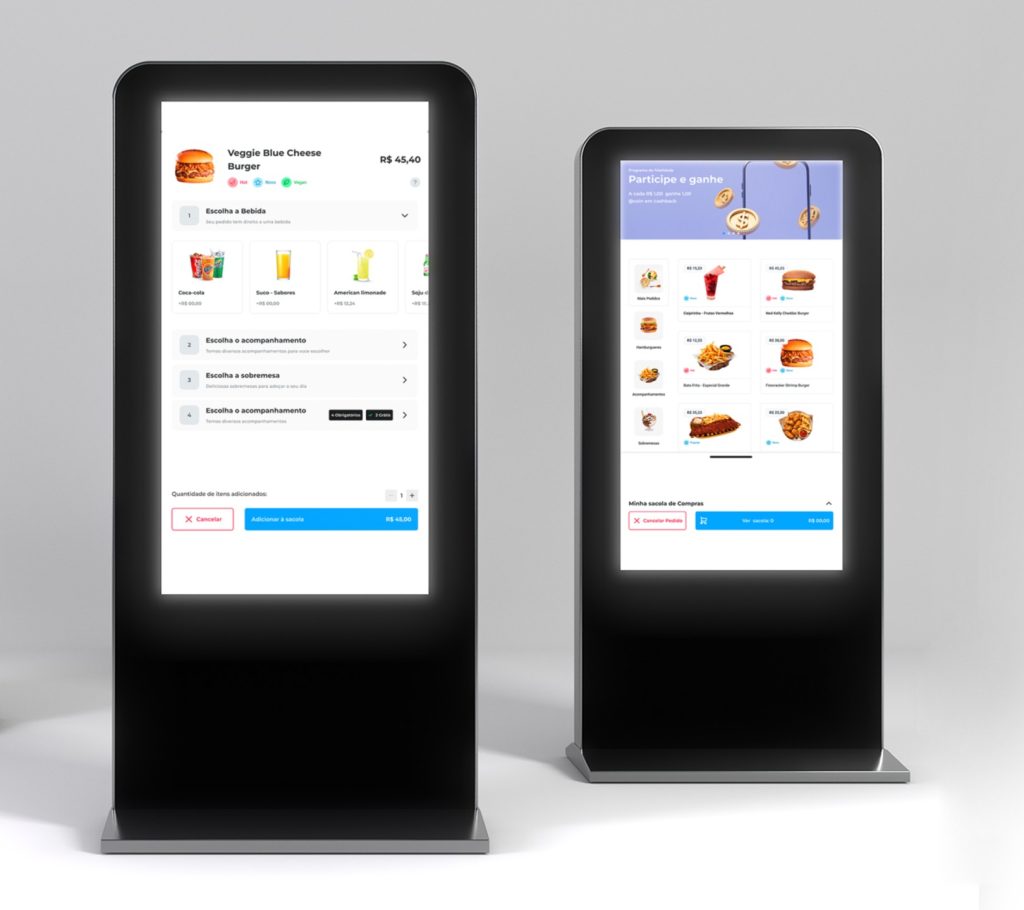
So when customers arrive at the venue, they can browse the menu, select the items they want, and pay without needing help from a waiter or server.
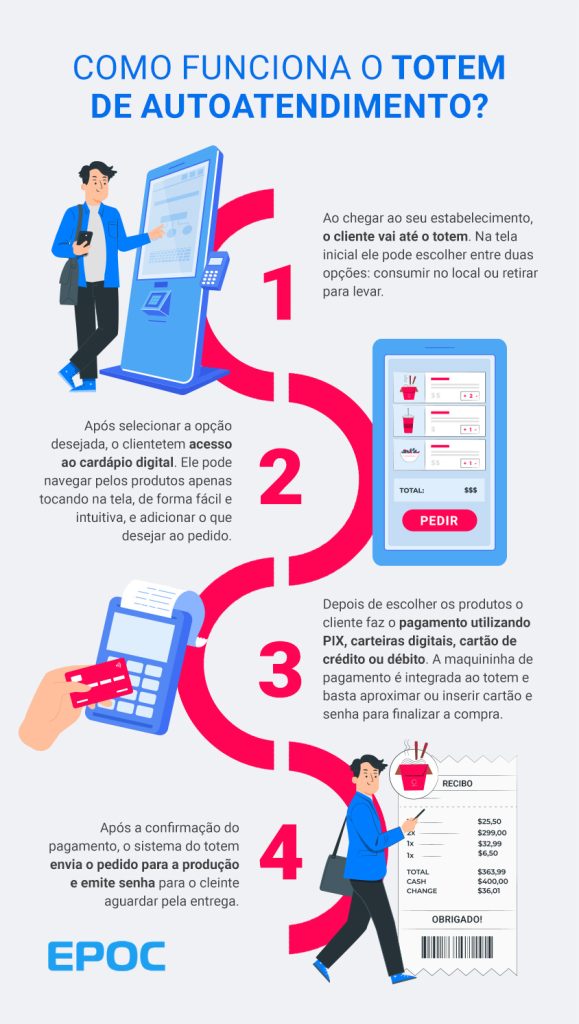
The order is then automatically sent to production, and the customer receives a number to wait for it to be ready.
What's the purpose of a kiosk for restaurants?
The main purpose of self-service kiosks in bars and restaurants is to let customers place their own orders, which reduces the number of staff members dedicated to that task.
But the device also offers other features. One of them is replacing the traditional paper menu with an attractive, smart digital menu. Products displayed on the kiosk screen have a much bigger visual impact, which can encourage customers to order more.
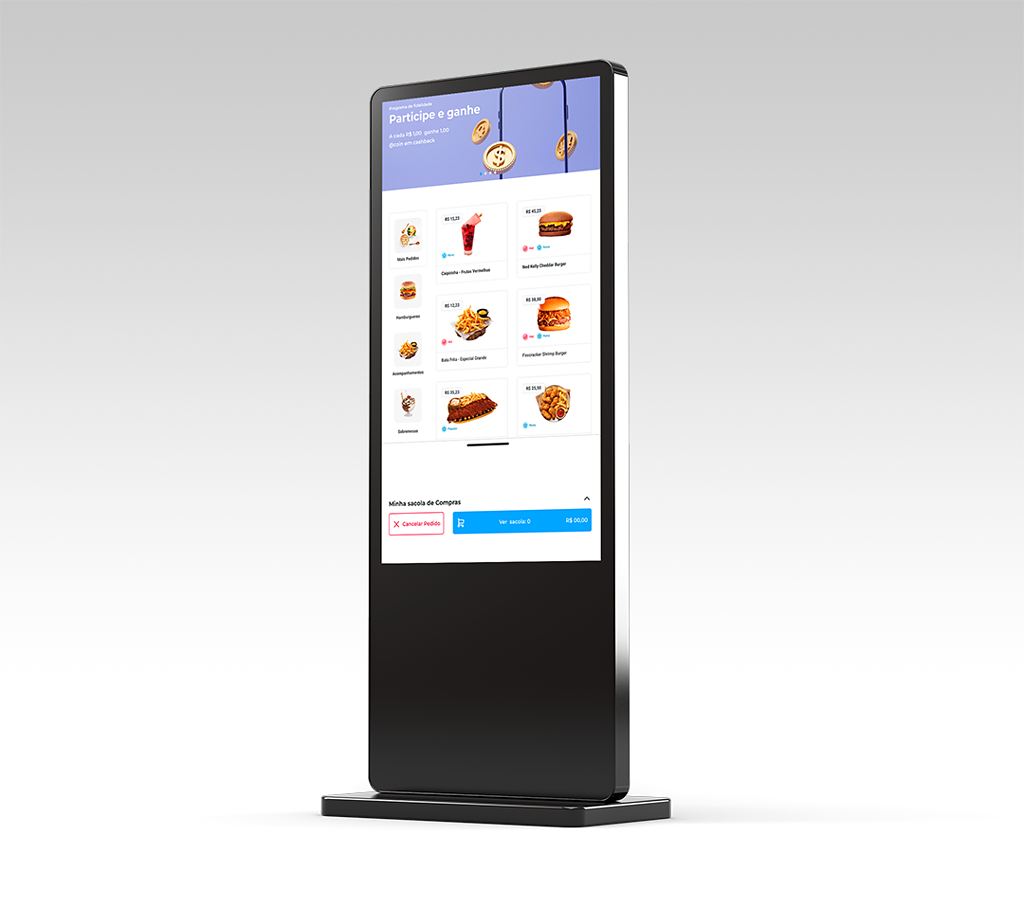
It also lets you customize and edit the menu as needed. You can highlight products, make suggestions based on the items customers select, and promote campaigns and special offers.
Leia também: Menu Engineering: Learn How to Do It at Your Venue
Another function of the self-service terminal is replacing mobile or roaming cashiers. You can place several units throughout your venue, giving customers the freedom to order without waiting for a server or walking over to the counter, for example.
How does a self-service kiosk work?
The self-service kiosk is connected to the restaurant's system, where all products and prices are registered. The units are placed at the entrance or counter of the venue and display a digital menu on-screen. When customers arrive, they can browse and place their own order, with no human interaction required.
The kiosk can be set up for different sales modes:
- Direct sale: the customer places the order, pays, and gets a number to pick it up
- Check-out: the customer opens a tab, orders throughout their visit, and settles up and pays at the end
- Credit top-up: the customer pays upfront and loads spending credit onto their tab
This technology therefore adapts to all kinds of business models, from fast food to bars and nightclubs that use individual tabs.
What's more, integrating the kiosk with the restaurant's system ensures operational security and enables the automation of processes such as order management, sales tracking, and inventory control.
Below is an example simulating your customer's experience.
What solutions can the kiosk be integrated with?
To make your restaurant or bar's operation even more efficient, it's best to integrate the kiosk with a complete system. After all, there's no point speeding up orders if the kitchen can't keep up and produce at the same pace, for example.
To get the most out of the technology and automate your operation end to end, the kiosk can be integrated with other solutions:
- PDV: It logs sales, issues invoices, updates inventory, and sends orders to the kitchen.
- KDS: a production display that speeds up orders in the kitchen or bar. It displays order details and helps prevent mistakes, reducing product write-offs.
- Payment aggregator: accepts credit and debit cards, digital wallets, and PIX. It streamlines cash register closeout,
- ERP: a complete back-office system that centralizes administrative, financial, tax, purchasing, and inventory management, and much more.
With this, your operation will become more efficient and your business will boost its profitability — among many other advantages we'll cover next. Check it out!
What are the advantages of self-service kiosks?
Check out the list below of the main advantages of self-service kiosks for restaurants and bars.
Low cost
The cost of buying and setting up kiosks is low compared to the cost of hiring staff to greet customers and handle service at the register.
With the equipment and system up and running, you can shrink your headcount and save on the costs of hiring full-time or freelance staff. Plus, the time and money spent on training goes down too.
More efficient operations
As we've seen, when integrated with other systems, self-service kiosks make the whole operation more efficient.
As soon as an order is confirmed, it's automatically sent to the kitchen, inventory is updated, and the sale is recorded — all with a lower chance of errors.
Fewer lines and crowds
Lines and crowding are major headaches for bars and restaurants. No customer enjoys chaos or having to wait. Kiosks give customers autonomy and convenience when ordering.
What's more, you can add more points of sale throughout your venue and spread them out, which helps avoid crowding. Customers don't need to wait for service or walk over to a fixed register, for example.
Shorter service times
Since orders go out faster, service times also drop.
This is especially beneficial for restaurants, since table turnover increases and tables free up faster. That means you can serve more customers and increase revenue.
Fewer product write-offs and order cancellations
Some common order-entry mistakes are eliminated when customers use a self-service kiosk. There's no risk, for example, of a waiter misunderstanding an order, jotting down an illegible note, or forgetting that the juice should be unsweetened.
This reduces waste and order cancellations. With fewer losses, your revenue improves.
More sales and a higher average ticket
An analysis by Tillster, a US company that operates in this market, indicates that orders placed through self-service kiosks have an average value 30% higher than orders placed through other channels.
Impressive, right?
One explanation for this increase is that the images are more appealing and customers can interact with the menu, which is also far less limited than a paper one.
There are also several menu engineering strategies you can put in place: featured products, combos, suggestions for new items based on what's already been selected, and special deals and promotions.
Lastly, digital menus are easier to edit. This means they can be adapted for holidays or special themed nights, for example, helping drive sales.
More satisfied customers
And last but not least, customers leave far more satisfied when service is quick. According to a study by Deloitte, 73% of customers would rather order using self-service kiosks than wait in line.
Most complaints stem from delays or order mistakes, and self-service cuts down — a lot! — on these problems.
With a positive experience, customers are more likely to leave good reviews, come back again, and recommend your venue to friends and family.
What are the benefits for the customer experience?
As we mentioned at the start, digitalizing restaurants and bars is something consumers are demanding. This trend is expected to grow stronger in the coming years, especially as newer generations gain more purchasing power.
Among the benefits of self-service kiosks for the customer experience at restaurants and bars are:
- No need to deal with lines;
- No need to wait for a waiter;
- More autonomy and freedom to place orders and pay;
- Better visibility into menu options, with the ability to customize orders;
- More attentive, top-notch service whenever it's needed, since waiters aren't overloaded;
- Faster order prep, since orders are sent straight to production automatically;
- No order mistakes.
Learn more: 7 Reasons to Invest in Self-Service Kiosks for Your Venue
So, if you want to offer your customers a modern, efficient experience, read on to see how to implement this technology in your restaurant or bar.
How to implement a self-service system in your restaurant
Now that you understand what a sales kiosk is and know its benefits for bars and restaurants, you're probably wondering: how do I implement it at my venue?
Adopting this technology requires some care, so let's go over a few tips on the infrastructure you'll need and what to consider when choosing your equipment and systems.
1. Infrastructure
To digitize your restaurant and automate its operation, investing in infrastructure is essential. After all, there's no point investing in equipment and systems if you don't have, for example, an internet network that can handle it all.
With that in mind, choose quality equipment and hire specialized professionals to plan and install the entire infrastructure, and to handle maintenance whenever it's needed.
And keep in mind: we're not just talking about the kiosks, but also printers, production displays, card readers, a Wi-Fi network dedicated exclusively to the system, cloud or on-premise servers, and more.
2. Systems
Once your infrastructure is ready, it's time to set up your systems! As we've seen, the self-service kiosk works with a POS system and can be integrated with others, such as KDS, a payment aggregator, and ERP.
Integrating these systems deserves your full attention to make sure nothing goes wrong. Choose good vendors who can provide consulting and help you configure the settings that best fit your business.
Another essential point here is support. Choose a vendor that guarantees support in case of system failures, or you could end up hurting your results.
3. Digital menu
For self-service kiosks to truly deliver a great customer experience, you need to create a digital menu that's well organized and includes all the necessary information.
We've touched on this before, but it's worth repeating: menu engineering is a powerful ally here. It's a strategy focused on boosting sales and helping customers better understand the products on offer.
Invest in attractive, professional photos, write detailed descriptions for each item, identify the standout dishes on your menu, and give them extra visibility.
That's how you'll finally see that long-awaited increase in average ticket.
4. Staff training
Once everything's set up, you'll need to train your staff. Self-service kiosks are simple and easy to use, but some customers may run into trouble or have questions about the menu.
That's why training your staff is essential. They need to know how to operate the system, make updates, and fix any issues that come up. None of it is complicated, so it won't take long to train the team.
Count on EPOC to automate service at your restaurant
So, did you enjoy learning more about self-service kiosks? If you want this technology for your business, count on EPOC! We offer complete solutions to help bars and restaurants boost efficiency and profitability.
O KIOSK is our self-service kiosk built into the EPOC platforrm EPOC, complete with POS, KDS, back office, electronic tabs, digital menu, app, and everything you need to run your operation from end to end!
With KIOSK, you get:
- Digital menu: an editable, customizable menu that lets you highlight products and promote campaigns and special offers;
- Configuration: direct-sale options with a pickup code, tab credit loading, or checkout to close out the tab and pay;
- Secure, efficient payments: accept Credit Cards, Debit Cards, Digital Wallets, and Pix!
- Faster operations: orders paid at the kiosk go straight to production automatically.
Discover the EPOC Kiosk and find out how to bring it to your bar or restaurant. Get in touch with our specialists right now!