QR Code Tab: How and Why to Use It
Eliminate lines, cut waste, and build customer loyalty: you get all of this and more with a QR Code Tab. But first, you need to know how to implement this technology the right way.
That's why we've put together this content to help you get the most out of a digital tab, ensuring integration with every area of your venue and making it easy for your customers to use. Check it out!
Learn more: which tab format to use?
What is a QR Code tab?
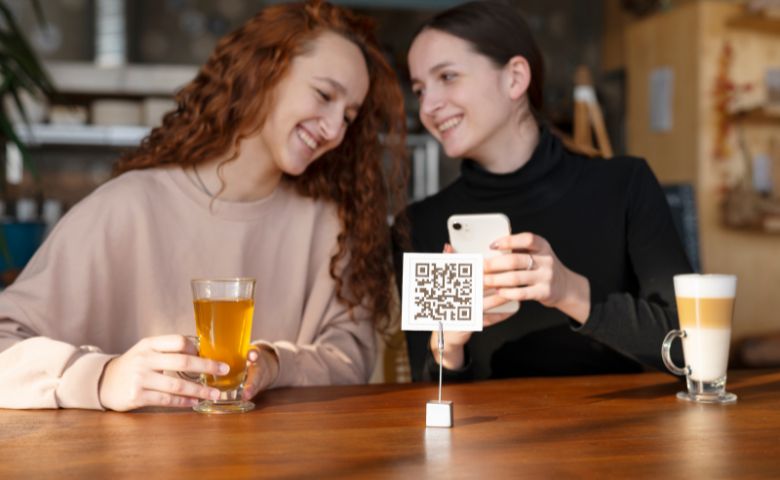
First, let's revisit what a QR Code tab is and how it's typically used in restaurants, bars, and nightclubs. In practice, it works like a traditional tab, but operates virtually.
In other words, the QR Code version also serves to record every item purchased by a customer (or group of customers) and their respective prices.
The difference, of course, is the format: while the former is usually made of paper, the latter is online and accessible through a QR Code. To use it, just scan the code with the camera of a smartphone, tablet, or other device.
6 advantages of a QR Code tab
If you're unsure about adopting this technology in your restaurant, bar, or nightclub, below we list six of the main advantages it offers.
With a digital tab, you save resources, gain speed, increase profitability, and build customer loyalty.
Check them out!
1 – Enable self-service
Digital transformation has been revolutionizing many markets, and the food service industry is no exception.
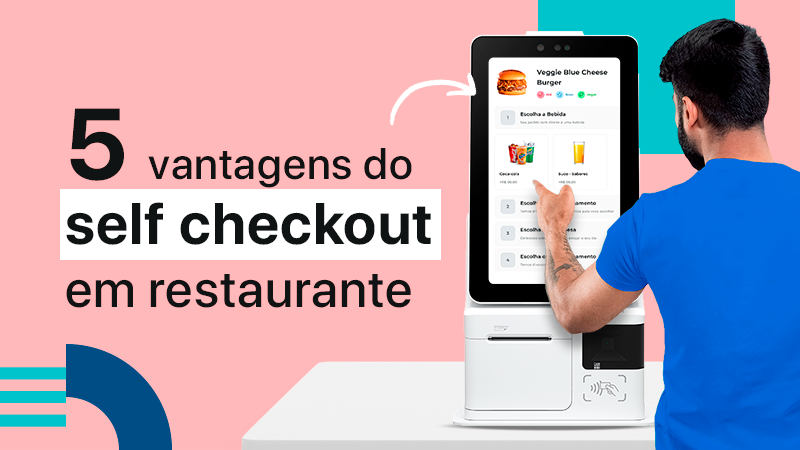
Customers expect to see modernity, technology, and innovation. In the case of restaurants and bars, they want self-service, which you can easily implement with a QR Code tab.
2 – Optimize your investment in service
It's precisely this new way of serving customers that lets you optimize your investment to increase profitability.
In other words: instead of having several POS terminals (often still with long lines) and multiple attendants, you can use the QR Code menu so customers place their own orders, while your team takes on a more consultative role, answering questions and helping when asked.
3 – Speed up order taking and preparation
This more modern way of ordering extends to preparing the items as well. Instead of having an employee jotting orders down in a notepad and walking from the tables to the kitchen, it all happens digitally.
So customers order in seconds and your prep area receives the order right away. As a result, everything gets faster, and customers are happy with an order that arrives quickly without them having to talk to anyone.
4 – Avoid errors and waste
Say goodbye to squinting at handwriting to figure out what the customer ordered. With the QR Code tab, everything is done digitally, which prevents errors or misunderstandings between whoever takes the order and whoever prepares it.
That, of course, ensures customer satisfaction and also reduces the waste of supplies and ingredients that would go into wrong orders. In other words, you earn more and stop losing money at the same time.
5 – Make closing out the register easier
Have you ever spent hours after closing trying to balance the register, lost in a jumble of numbers, tabs, and receipts that don't add up? With an electronic tab, that will never happen again.
Because every order and payment is recorded in an integrated way across the tab, POS, finance, and tax systems, the numbers always add up. This speeds up closing out the register and also helps prevent errors and even fraud.
6 – Get customers coming back more often
Finally, a benefit that comes from all the others combined. After all, with a QR Code tab your restaurant or bar becomes faster, more economical, and more modern, serves customers more quickly, and has zero waste and zero errors.
Who wouldn't want to go to a place like that? That's why this technology helps build customer loyalty: people come back more often and, on top of that, spread good old word of mouth to friends, family, and colleagues. The result is simple: you profit much more.
How to create a QR Code tab
Because of its digital format, the electronic tabs speeds up your operation considerably and cuts costs (as you've seen). But it also means it needs to be connected to a management system.
So, to create a QR Code tab, you first need a complete management solution for your venue, such as EPOC.
You can then link the codes to the tool that creates the tabs. In the case of EPOC GO, for example, customers can create their own tabs on their phones, without downloading any app.
The system then connects the digital tab's information with the POS, the ERP, the KDS (or prep printer), and even the inventory and tax areas.
That way, your entire operation is connected. As a result, a typical purchase goes like this:
- when entering your venue, your customer simply uses a smartphone – their own or the venue's – to scan the QR Code;
- they create their tab, browse the items on the digital menu and place their order;
- the order is instantly sent to the prep area on the KDS or printer automatically;
- your inventory is updated in real time;
- at the same time, the customer can pay for their order via smartphone as well.
How to get a digital menu, QR Code tab, and much more
You can have all this and much more with a single solution: EPOC. The system adapts to your needs and comes with every feature that makes your business far more profitable.
Count on QR Code tabs, an online menu, and a POS all on your customers' own smartphones. Plus, get an ERP, inventory management, BI, KDS, a counter POS, and much more.
Count on saving more time and money, while offering a more modern, self-directed experience to everyone who visits your venue.
see a free demo of our solution, with no obligation, and find out how EPOC can help drive your venue's growth journey.