
KDS monitor: what it is and 7 advantages
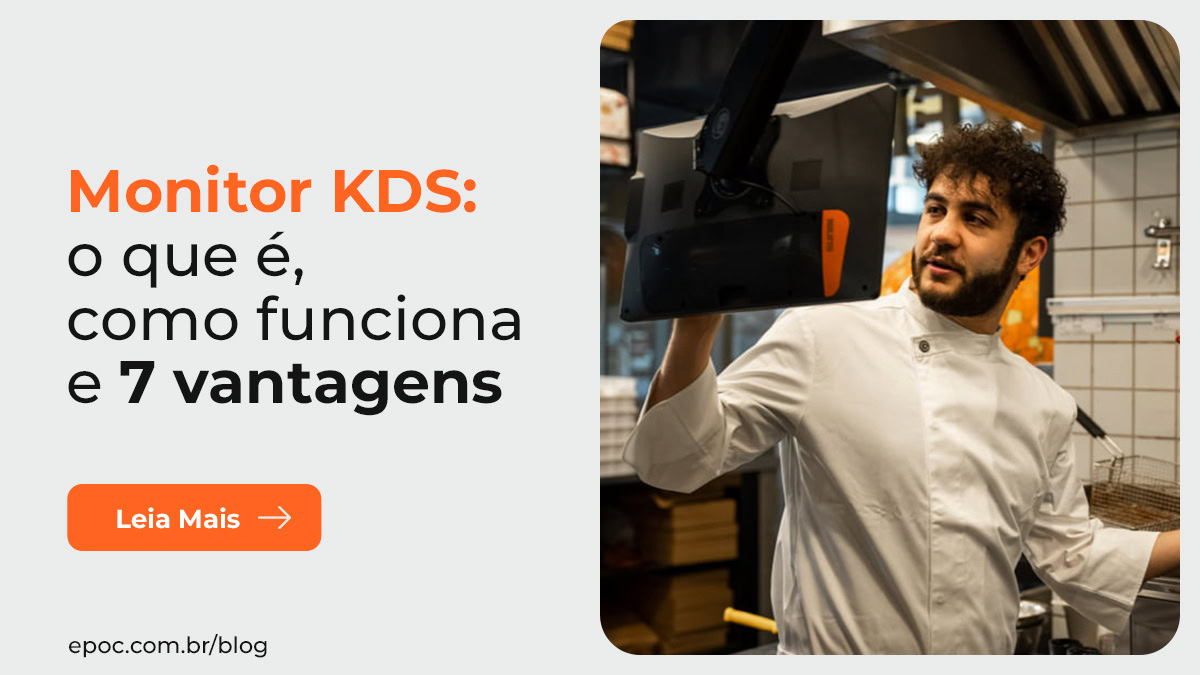
Would you like your restaurant's order production to be faster? Using a KDS display can help!
A well-organized, efficient kitchen is essential to avoid waste, cut customer wait times, and deliver quality service, but keeping everything in order can be a challenge.
Printing orders and tracking them on the order rail, working out how long ago each one came in, picking a grease-covered ticket up off the floor, a printer out of paper roll or with a paper jam? All of that is a thing of the past! The sistema KDS (Kitchen Display System is the best solution for these problems.
In this article, find out why you should adopt this technology and discover the advantages of EPOC KDS. Confira!
What is a KDS monitor?
The acronym KDS stands for “Kitchen Display System” — in other words, a system that displays orders in the kitchen.
Also known as order screen, production screen, or KDS monitor, this technology automatically displays every order on a monitor or tablet mounted at the production stations. That way, cooks and bartenders can see everything that needs to be prepared on a single panel, unifying different sales channels – such as the dining room and delivery, for example.
In other words, the KDS system replaces printers and paper tabs.
Its biggest advantage is the automation of order management. Ele possui diversos recursos que facilitam a priorização da produção, a distribuição das tarefas e o acompanhamento dos pedidos.
This improves communication and boosts the kitchen team's productivity, making customer service far more efficient, along with many other advantages we will cover further on. Next, see how the KDS system works in practice!
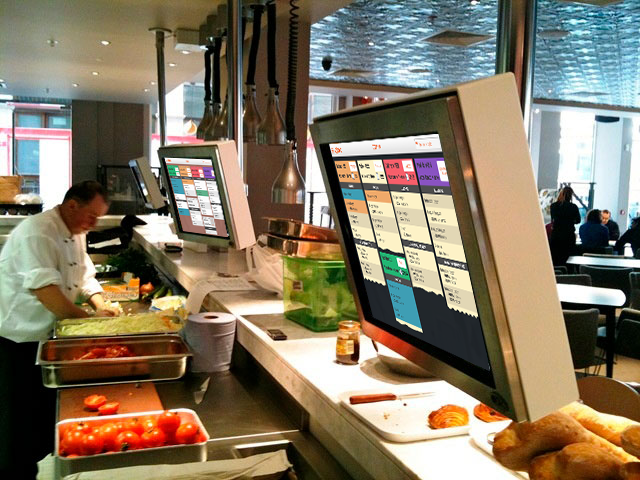
How does the KDS system work?
The KDS system is integrated with the POS system at the restaurant to automate order management.
It organizes and prioritizes orders automatically and in real time, making communication between the dining room and the kitchen easier and reducing mistakes and rework. It also makes monitoring simpler, so no order is forgotten or delayed.
Here is how the KDS system works in practice:
- The staff member takes the customer's order on the POS.
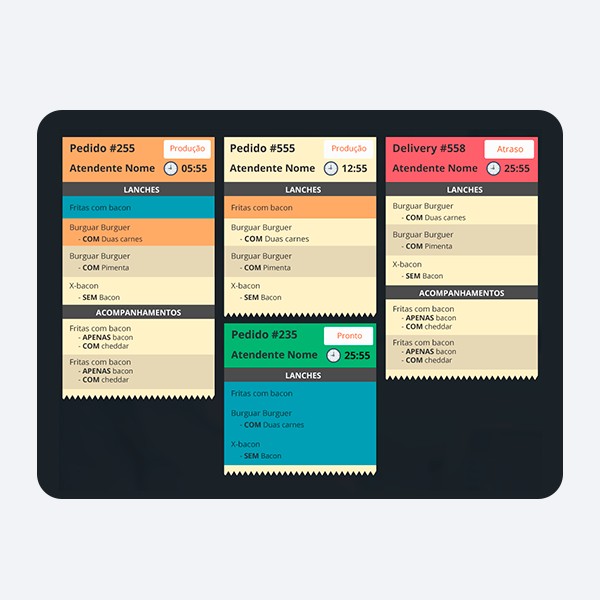
- The order is automatically sent to the KDS monitor. A Timer starts to show how long the order has been in production.
- All orders are displayed on the same screen, organized on a board using kanban. Cada etapa da produção é indicada por uma different color.
- You can, for example, separate items by different production stations/islands and also prepare all items in the same category at the same time.
- If there is a delay in production, the system issues an alert.
- The system also has a Runner Screen, where you can track order progress and see which ones are ready to be delivered to customers.
- When production is finished, the waiter or the customer (in the case of self-service) receives a push notification letting them know the order is ready.
- The KDS can also be integrated with a pickup screen, which displays the order number for pickup at the counter.
With all these features, the KDS is the best kitchen management system. Confira a seguir as vantagens de utilizar essa tecnologia no seu bar ou restaurante.
7 advantages of the KDS monitor for restaurants
Installing a KDS monitor in the kitchen or bar has several advantages for your business. By better organizing the preparation of food and drinks, the whole operation flows more smoothly and, as a result, you can serve more orders in less time.
Below, we list the main benefits of the KDS system. Take a look!
1 – Automated order management
The main advantage of the KDS is automating how order production is organized. As soon as the staff member confirms the order on the POS, it is automatically sent to the production queue, preventing forgotten orders and mistakes.
Unlike order printers, which require someone dedicated to organizing and distributing the work among the cooks or bartenders, the KDS monitor does this automatically and far more efficiently.
2 – Optimized production flow
As we saw earlier, on the KDS monitor every order appears on a single screen, split across a Kanban board with stages distinguished by colors.
On it, you can quickly see each order's information, the production stage, who is responsible, and the production time. That way, the team can follow the order's progress intuitively.
This helps make the production flow much faster, moving from one stage to the next automatically and making communication clearer and more effective, without the mix-ups that end up hurting the work.
3 – Greater control over production time
Another big advantage of the KDS is precise control over how long items take to prepare. Orders are organized by arrival time, with a time stamp and a Timer that makes management easier.
On top of that, if an order runs late, going past the estimated production time, its color changes to red and the system issues an alert.
4 – Increased productivity in the kitchen
With a KDS system in the kitchen, it is much easier to organize how orders are assembled and boost the team's productivity so they can produce more in less time.
You can split an order into different items and distribute them among the production islands. Por exemplo: as carnes em uma ilha, as saladas em outra. Desta forma o processo é otimizado.
When every item is marked as finished, the order is considered ready and an alert is sent so it can be delivered to customers.
5 – Fewer mistakes, voids, and waste
Put an end to the problems that are common when production is tracked on paper, such as item errors, mixed-up orders, forgotten tickets, and slow production.
Since the whole system is automated, there are far fewer failures in order production, and this reduces product voids and also helps cut waste and control operating costs.
With the KDS, orders are organized by arrival time, all the information for each order is laid out, tracking happens stage by stage, and the runner is alerted when the order is ready.
6 – Better customer service
Because production is more organized and fluid, orders are ready faster and customer wait time is reduced, helping them have a good experience and leave satisfied.
Another advantage of the KDS is the runner screen, which shows the waiter or staff member which orders are ready to be delivered. In fact, if there is more than one order at the same table, they can wait for all of them to be ready to make a synchronized delivery.
Finally, in businesses that work with self-service or counter pickup, you can integrate the KDS with the pickup screen for collection by number/name.
7 – Lower paper costs and sustainability
Finally, by adopting a KDS monitor, your restaurant or bar no longer needs order printers.
In other words: there is no need to spend on paper and printer ink. Você digitaliza a sua operação e torna o seu estabelecimento mais sustentável.
If you want to enjoy all the benefits listed above at your restaurant or bar, get to know EPOC KDS!
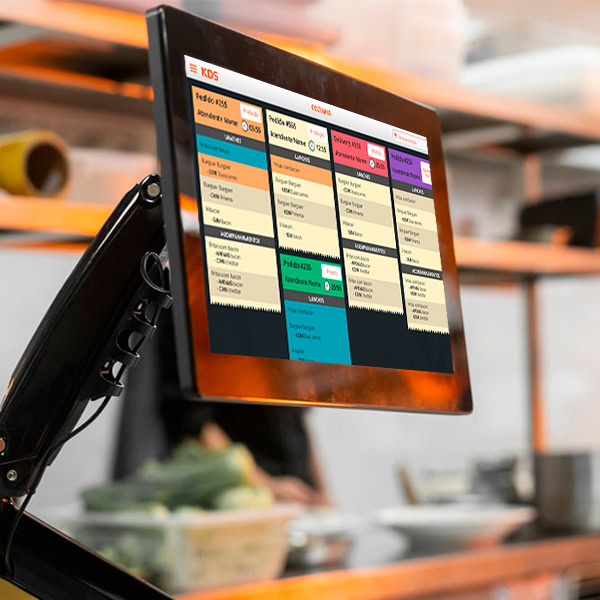
EPOC KDS: more efficiency in your restaurant's kitchen
If you want to improve your kitchen team's performance, EPOC KDS is the ideal solution!
It automatically receives and organizes orders entered by the waiter on the PDV or placed by customers on self-service kiosks, digital menus, or delivery platforms. Assim, sua equipe pode visualizar e acompanhar o andamento de todos os pedidos em uma única tela – em monitores, tablets, notebooks ou computadores.
Our KDS system has advanced features so you get maximum quality in production and deliver flawless service.
With it you can, for example, distribute the production of orders across different work stations or production islands. That way, communication is more effective and the work is optimized.
The system also has the ability to fire dishes, making synchronized order delivery easier and providing a perfect dining experience for customers at à la carte restaurants.
On top of that, EPOC KDS can also be integrated with a pickup screen with a number or name, a very useful feature for fast food restaurants or those with counter pickup.
To learn more about our solutions and find out how EPOC can help your restaurant achieve greater operational efficiency, fale com nossos consultores!