Tab templates: 6 free options

The tab is an indispensable tool for restaurants and bars. It's used to take orders, organize production, and control sales.
That's why choosing the right tab format is essential for your team to be more productive and deliver fast, quality service. This way, you have a more efficient operation and keep your customers satisfied.
In this article, learn everything about this topic and check out 6 tab templates to edit and print for free. Keep reading!
What is a tab?
To start, let's quickly look at what a tab is and why it matters.
The tab is a form of record used in restaurants and bars to track and control the orders placed by customers.
The most traditional form is the paper tab, and the most modern is the electronic tab. We'll see more about each of them next.
But what matters now is understanding that, depending on the format you choose, your service can be more or less efficient. That's because the tab is essential to organizing customer service.
The tab has four main functions:
- It's where the server writes down the order, including information such as quantities, added or removed ingredients, the customer's name or table number, among others.
- It can also serve to guide the production team in the kitchen or bar about the orders that need to be prepared.
- When the customer wants to close out the bill, they hand the tab to the cashier or the waiter. It's used to calculate the total to be paid.
- After payment, the establishment can file the tab to keep control over the transactions carried out.
In other words: it helps with order entry, internal communication within your team, and also controlling your sales. To be efficient in all these processes, it's important to choose the right tab format.
Below, learn a bit more about the types of tab and understand the advantages and disadvantages of each one.
Leia também: Cashless: understand what it is and what the advantages are
What are the types of tab for restaurants and bars?
Choosing the best type of tab for your establishment depends on a few factors, such as the number of menu items, the service model, and customer volume, among others.
There are three types of tab: paper, card, and digital. Learn more about each of them below:
paper tab
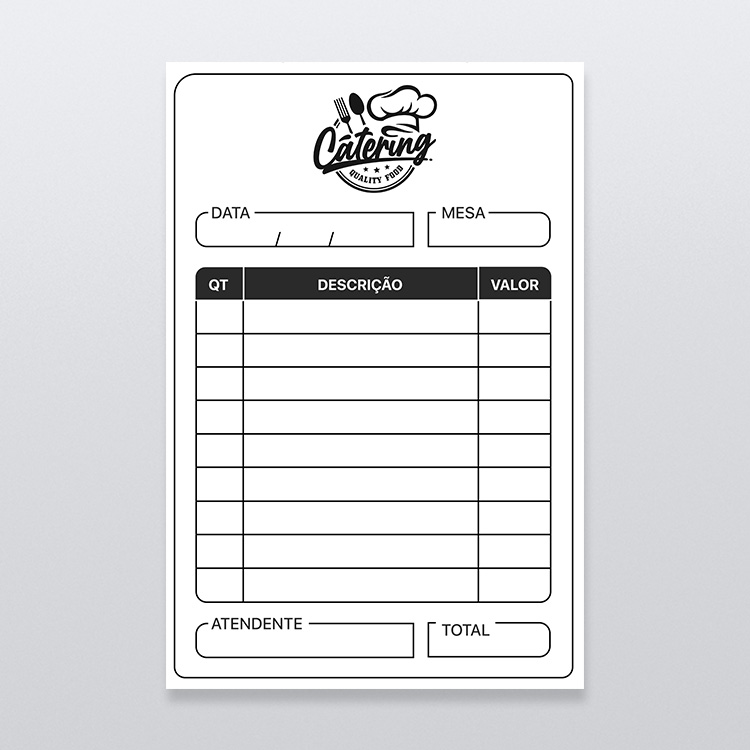
The most traditional format is paper. It can vary from one establishment to another. Some prefer to list every menu item, others leave blank spaces for the waiter to write down the order.
Of course, you can adapt it and include elements that help optimize service. For example:
- Logo and name of the restaurant or bar
- Table or tab number
- List of items and quantities
- customer name
- Server name
- Total amount
Tab card
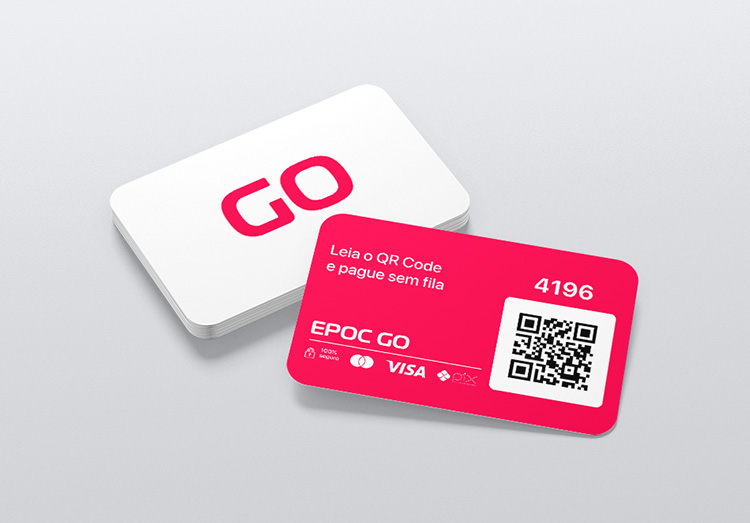
A slightly more modern option is the tab card. In this case, instead of paper, the customer receives a physical card with technology such as RFID (Radio-Frequency Identification) or NFC (Near Field Communication), for example.
This type of card can contain an embedded chip, a barcode, a QR Code, or just the number. This makes it possible to record the order information and link it to a customer or table. The waiter uses a card reader to enter the records into the system, which minimizes errors in orders.
The main advantages of the card tab system compared to the paper tab are:
- The system can be integrated with production, automating the operation and making order delivery faster.
- It makes closing out and paying the bill easier, in addition to recording sales automatically and accurately.
- It can be integrated with the inventory management system, deducting stock automatically whenever a product is sold.
- You can create custom tab card artwork, reinforcing the establishment's brand.
- They're reusable and, because of that, more sustainable and economical.
- They improve the customer experience.
digital tab
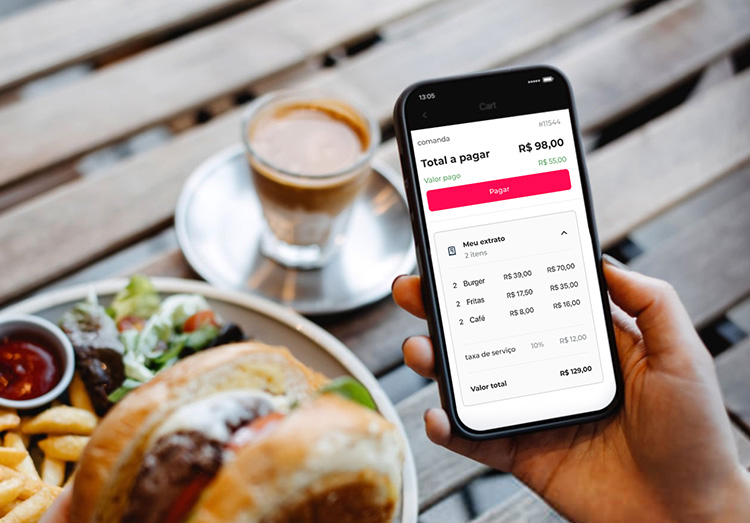
The digital tab is a technology that uses devices such as smartphones, tablets, or self-service kiosks as its platform.
When the device is used by the service team, it works like a traditional tab, with the difference that, after taking the orders, everything is automatically sent to the kitchen and/or the bar.
This means service becomes much faster, since waiters, for example, don't need to adopt an order, walk to the kitchen, come back to serve another person, and then go to the kitchen again. It's possible to serve every customer in minutes.
When the digital tab is used on the customer's own smartphone, they can open it, add their orders, and send them to the kitchen on their own without having to wait to be served.
And it can get even better: the customer can also close their tab and complete their payment online in a few seconds, autonomously and securely.
Learn more: 6 advantages of using a digital tab
How to create a tab for bars and restaurants
Now that you understand the advantages of using tabs in your establishment, it's time to create your own template!
Paper formats, tab cards, and the digital tab can all be customized. Below, check out a basic step-by-step and some tips.
- Analyze your menu: If you have a menu with many items, a blank tab makes more sense. If the menu has few options, you can list them on the tab, making it easier to write orders down and avoiding mistakes.
- Consider your service model: A pay-by-weight buffet, for example, needs a tab with room to write down the plate's weight and the amount due. A fast-food place, on the other hand, may want a tab that makes it easy to customize orders.
- Choose the most suitable tab template: Pick a tab template with the fields you need to speed up service and make internal communication easier.
- Think about your restaurant's visual identity: Include your logo, colors, mascots, and information about your business.
Once you have decided what your tab will look like, there are a few ways to create it:
- Use a free tab template: The simplest and cheapest way is to use an editable tab template. There are several formats available to download. Just pick yours and edit it with software like Word, Excel, Photoshop, or Canva – such as the ones we are sharing below, take a look!
- Hire a graphic designer: If you do not have the skills to edit a ready-made template, another option is to hire a professional to create the paper tab or the artwork for the card. The upside is that you get a tab that is exclusive to your business and reinforces your brand.
- Adopt a system of electronic tabs: In this case, you do not need a physical tab, and all the settings are configured directly in the system, which makes creating and changing them later much easier. This can be done in EPOC GO.
6 tab templates to edit and print for free
There are as many tab templates as there are different food service businesses. In other words, here imagination – or rather, necessity – is the mother of invention.
Below you will find 6 tab templates for restaurants, bars, pizzerias, and pay-by-weight buffets. Just customize them to fit your needs!
Get the Free Kit: Free tab templates on Canva!
1 – restaurant tab template
A restaurant tab template has features of its own on top of the common elements – such as the business's identity (logo), for example.
It tends to be larger, since it may have a wide variety of items to note down. For example, there can be dishes, desserts, savory snacks, drinks, and much more to mark on the order – it all depends on the nature of the restaurant.
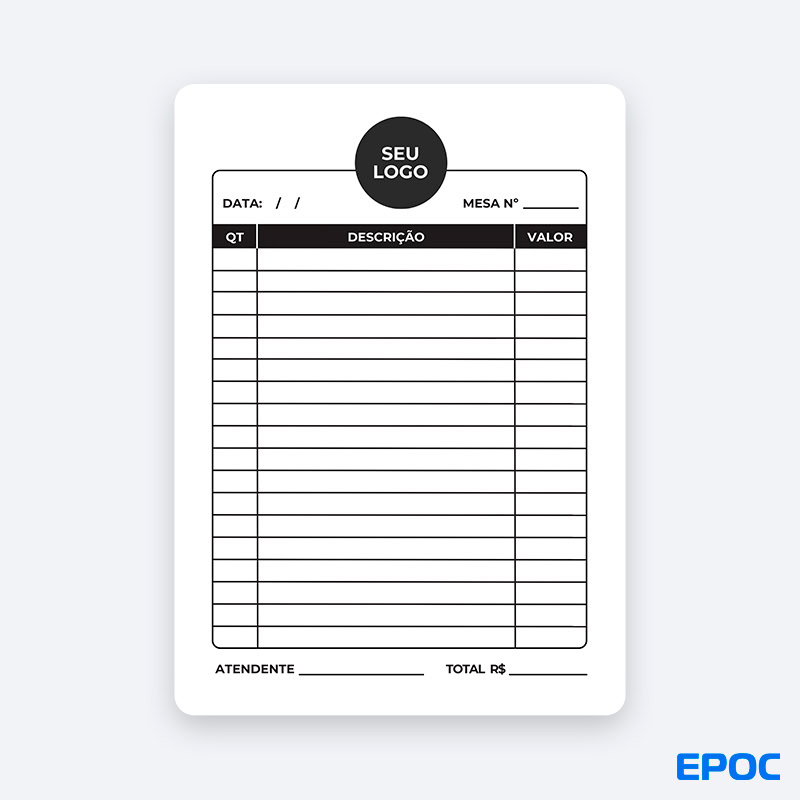
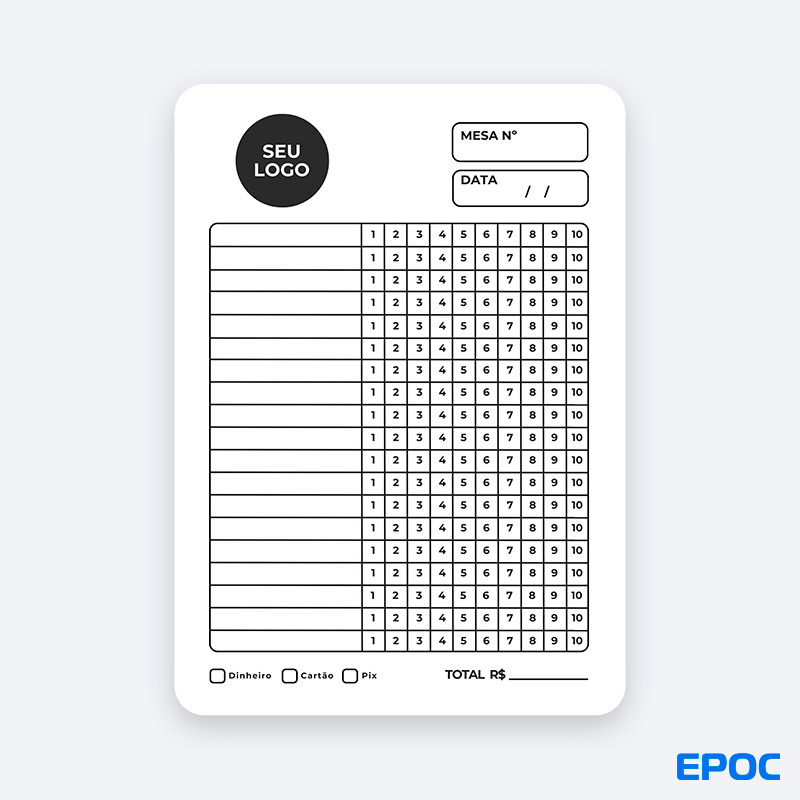
2 – Blank tab template
In some cases, you may be better off choosing a blank tab template, with an open space to write down customers' orders and then take them to the kitchen.
That keeps the tab from getting crowded with items, which can make the service team's job harder and also confuse customers about what they ordered.
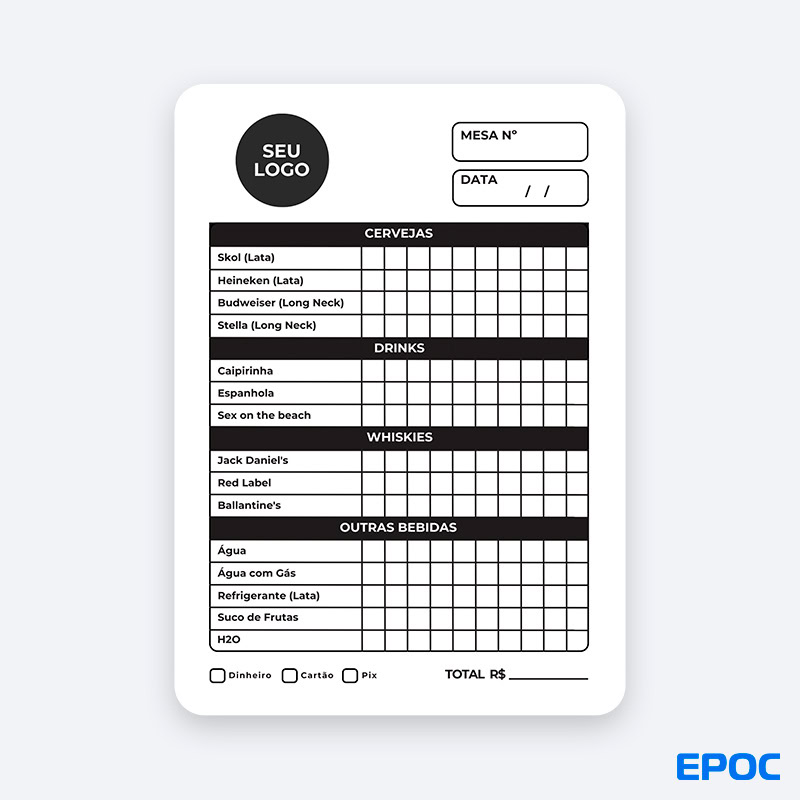
3 – Itemized tab template
On the other hand, if your menu does not have that many options, it may be worth listing every menu item on the tab, including the customization options.
The advantage of the itemized tab is that it speeds up order taking, since it lets the waiter write things down quickly and prevents mistakes and mix-ups. That is why it is widely used by fast-food restaurants, snack bars, and bars.
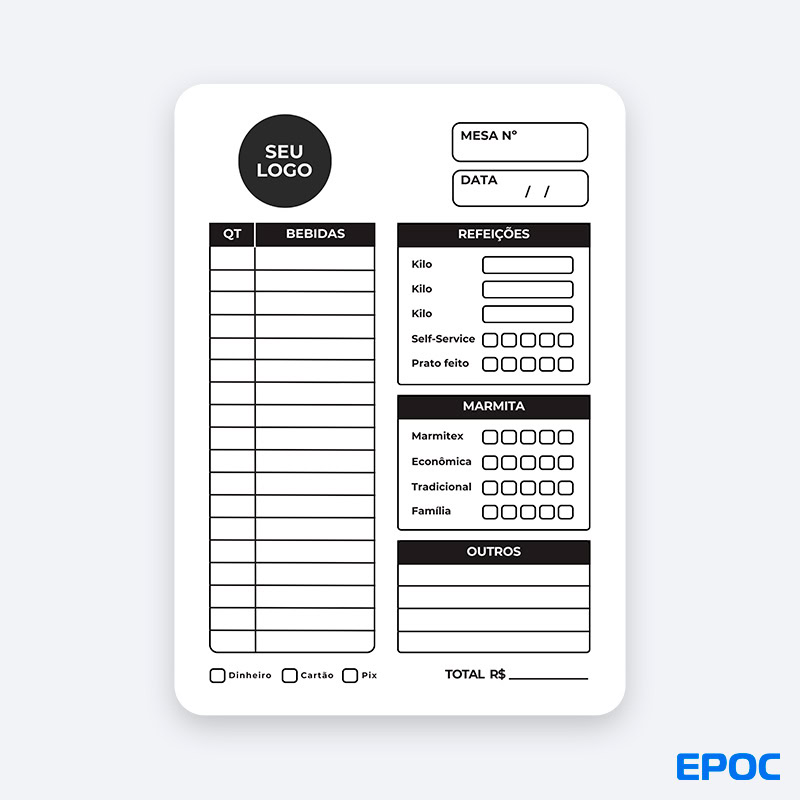
4 – Pay-by-weight buffet tab template
Self-service or pay-by-weight buffet restaurants can use a tab template with fields to note the plate's weight and the amount due, making payment at the register easier.
If the business offers an all-you-can-eat buffet or boxed meals, the tab can also have fields for those options. It is also common to include drinks and desserts.
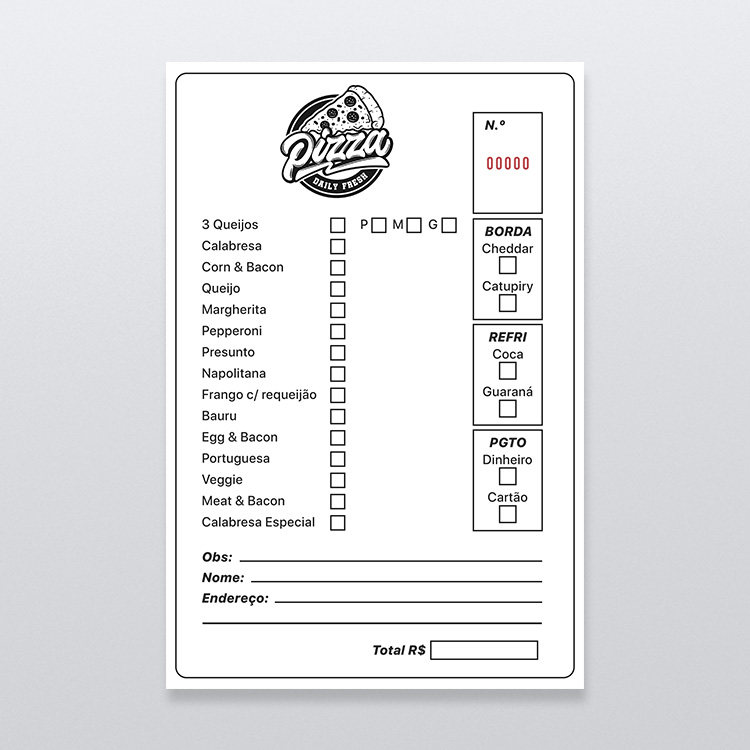
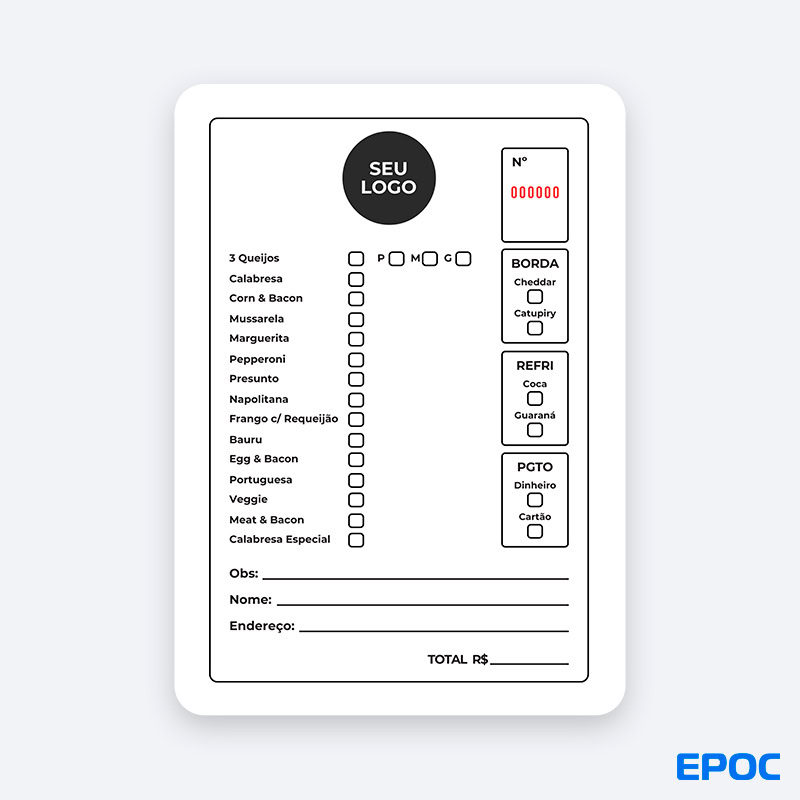
5 – Pizzeria tab template
Following the standard used by the vast majority of businesses, the pizzeria tab is also a way to keep track of what customers will consume.
It generally features the restaurant's identifying logo and a space for notes.
The big difference in the case of a pizzeria tab is that you need to indicate the format in which the pizzas will be served: à la carte or via rodízio.
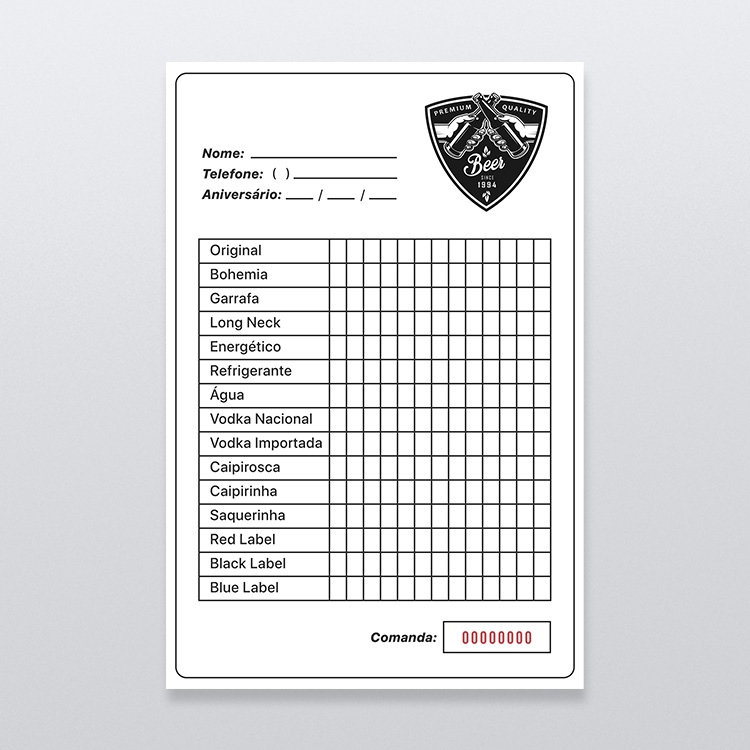
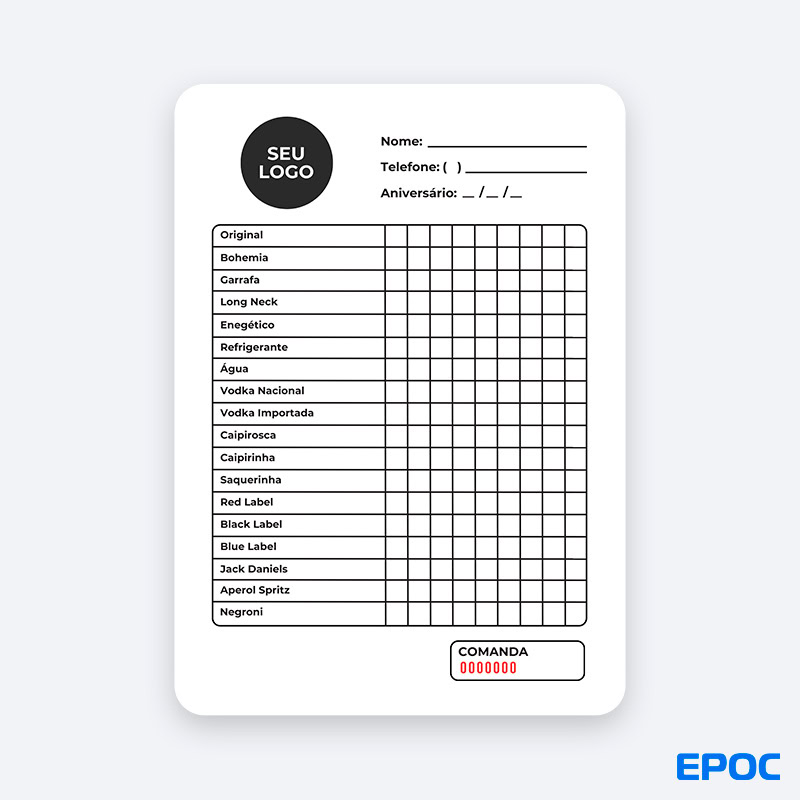
6 – Bar tab template
In the case of a template for a bar tab, you can follow the same logic as a restaurant, just adapting it to your business's needs.
That means you can either use a template with each of your beverages and cocktails listed on the tab template, or go for a clean style instead.
However, the best option is to use the template with the items already listed, since it makes taking orders easier. That is because a bar table means writing down several items – and having to write each one out would slow service down a lot.
Which tab template should you choose?
Now that you know the different tab templates and what sets each one apart, it is time to figure out which one to use.
The good news is that this task is relatively easy: you just need to understand what kind of operation your business runs and what service infrastructure you have.
For a restaurant, use a restaurant tab template; the same goes for pizzerias and bars, for example. The big difference lies in how the tab works – physical or digital.
If you have a more traditional setup and do not want to expand your operations and increase service volume, a classic physical tab with pen and paper may be enough.
However, if you want to deliver fast service, streamline your operation, and cut costs, your best bet is a digital tab. It is more modern, builds customer loyalty, and helps you reach higher profitability.
To have a digital tab, all you need is a business management system that connects to your POS – or, better yet, one that already has this solution built into the system itself.
EPOC is that ideal solution, and you can find out more about it by talking to one of our specialists!