Electronic Tab for Bars: How to Use

Have you ever thought about eliminating lines and still optimizing your operation without significantly increasing your costs – actually, even reducing them? With an electronic tab for bars you can achieve exactly that.
In this article, learn how this technology works, everything it can offer for your bar, and how to have a complete and easy-to-use digital tab!
Learn more: 5 secrets on how to manage a bar financially the right way
What's the difference between a normal tab and an electronic tab?
But first let's better define what a tab is and what the difference is between the physical model and the electronic tab (also known as digital tab).
Physical tab
The tab is the item where customer orders are written down and then sent to the bar, thus continuing the order production and delivery process.
Typically, it used to be a piece of paper where the attendant wrote down the order and then walked to the bar or kitchen to inform the preparation team of what needed to be done.
As you can see, this analog process involves a lot of people and demands plenty of their time and effort (not to mention leaving lots of room for mistakes and mix-ups).
digital tab
An electronic tab for bars serves the same purpose. It also aims to record customers' orders and route them to the preparation area. But it works in a different way.
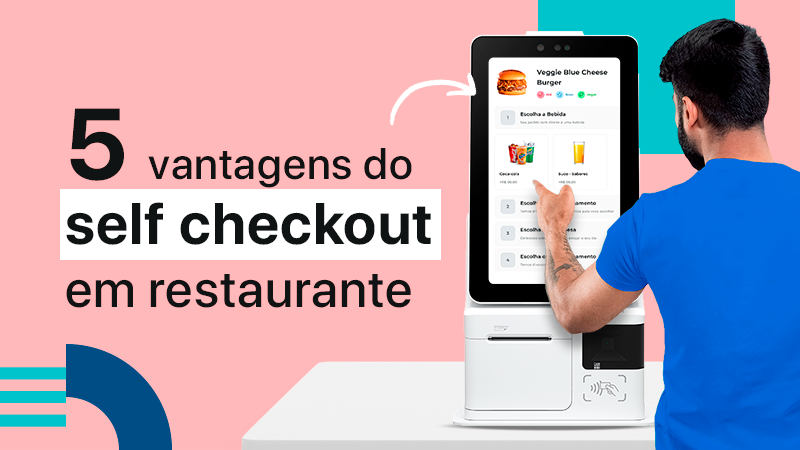
The big difference is that this model, as the name suggests, is digital. In other words, it doesn't run on pen and paper, but rather through a smartphone, tablet or Self-Service Kiosk.
In practice, it works like this: a server (or even the customer themselves) opens a tab and records the order, which is automatically sent to the bar.
In the customer's case, they can order their drink without waiting in line or having to talk to anyone.
And for a waiter, it's possible to record several orders in just a few minutes without going back and forth to the preparation area – gaining a lot of productivity and speed.
Learn more: QR Code tab: learn how and why to use it
What are the advantages of using an electronic tab for bars?
You can probably already picture the benefits a digital tab can bring to your bar. With it, you can speed up service, avoid waste and mistakes and even bring in more customers.
Below you'll find more about these and other advantages of the electronic tab!
1 – Reduce errors
One of the most immediate impacts customers notice when a bar starts using an electronic tab is the drop in errors and slip-ups.
The reason is simple: by dropping pen and paper and adopting a digital model, there's no longer any chance of orders being misread, lost or left sitting in the production queue.
As a result, your customers no longer have to deal with orders arriving wrong at their tables, or with delays in receiving what they ordered – since everything is sent from the electronic tab to the drink preparation area automatically.
2 – Shorten the lines
Along with preventing errors, this technology also offers another benefit for you and your customers: shorter lines.
With the digital tab, a customer can order their drink on their own, without having to talk to anyone or wait in line at the bar.
What's more, customers can close their own tab and even pay for it online without ever stopping by the register. In other words, this technology shortens lines in your establishment in several ways.
There are advantages for the service staff too. Waiters can serve with far more productivity and speed, since they can record more orders in less time, without having to go back and forth from the tables to the bar. That shortens the lines as well.
3 – Build customer loyalty
The points above all come together in this one. Anyone who wants to serve a customer well needs to prioritize speed and efficiency in service. That's how you ensure a quality experience for your customers, who in turn come back more often: according to studies, 60% of customers come back more often after having a positive experience.
With the electronic tab, your bar starts serving much faster, without making mistakes, and also cuts wait times (and lines) for entry and payments. On top of that, this technology conveys innovation, modernity and autonomy to customers.
4 – Better sales control
When integrated with a bar management system, the electronic tab becomes even more useful. Together, these two tools let you see real-time information about your operation.
Number of sales, ticket médio, how many sales were made of a given product and at a given time. All of this and much more is captured by the digital tabs and sent to the system, which displays the data intuitively.
This gives you valuable information to make more strategic decisions, plus the ability to fix any weaknesses in the operation and further strengthen what's already working.
5 – Reduce costs
Finally, a benefit of the electronic tab for bars that everyone likes: savings. With it, your establishment can reallocate the service team and also save on raw materials and supplies (since there will be fewer order errors).
What's more, this tool helps close out the register, since everything is tallied automatically: each tab, once closed, sends that information to the POS. This prevents errors and even fraud when closing out the register.
Also check out: Electronic tab for restaurants: discover the benefits
How do you use a digital tab for bars?
There are apps and other software that work as a digital tab and can be installed on mobile devices (such as smartphones, tablets and kiosks) or on customers' own devices.
These usually work independently and, because of that, don't offer as many features and integrations to optimize your operation as a whole. In general, they only let you pick items from the Menu and place the order.
For those looking for a more complete and efficient solution, the ideal is to have an electronic tab for bars that's part of a business management and automation system. And the most complete solution on the market for bars is EPOC.
With it, you can expand the tab's usability and add other features, such as:
- a digital menu;
- integration with the POS,
- orders placed on the tab sent straight to the KDS;
- once an item is ordered on the tab, the system deducts it from inventory automatically;
- integration with self-service kiosks;
- integration with delivery tools.
Discover everything EPOC can do for your establishment; talk to a specialist with no strings attached and learn more!