How to Manage Restaurant Inventory
Managing restaurant inventory is one of the most important tasks for keeping the operation well organized and the financial health of the business on track. Even so, it's common for managers to struggle with or neglect this process.
The consequences of poor inventory management are many: running out of supplies to fill customer orders, waste from expired food and high expenses. You don't want that for your establishment, right?
So check out this guide for a step-by-step and tips on managing restaurant inventory.
What is restaurant inventory control?
First of all, let's understand what restaurant inventory control is. This concept causes some confusion, because when we say “control”, many people take it to mean only “restrict” — and that's not right!
Although it is indeed necessary to limit access to the people responsible for managing supplies (the stock clerk, for example), this process also involves other tasks and goals.
So inventory control can be defined as the management of goods from the moment of purchase to the sale, with the main goal of ensuring availability and identifying when restocking is needed.
The process includes activities such as:
- listing and classifying products;
- labeling;
- proper storage;
- records of what comes in and goes out.
In the case of restaurants, the products in inventory are food, and that demands even more care. You need to keep track of expiration dates and have good storage conditions to ensure product quality and Food safety.
Next, see how restaurant inventory works step by step.
Also check out: What are minimum and maximum inventory levels?
How does restaurant inventory work?
A restaurant's inventory connects every area of the operation: purchasing, finance, checkout, kitchen. Here's an example of how it works:
- The order is sent to the suppliers;
- The person in charge of inventory receives and records the products;
- Each product is labeled with its expiration date and other information;
- The stock clerk stores the products on shelves, in refrigerators or freezers;
- At the start of the week, a count is made of the products available in inventory;
- The stock clerk sends the needed supplies to the kitchen and records the withdrawal;
- In the kitchen, supplies are used according to demand and, whenever one of them needs restocking, the stock clerk is notified;
- At the start of the following week, a new inventory count is made to check whether restocking is needed. The stock clerk checks whether the number of goods in inventory matches the records, in order to identify errors, losses or theft;
- A new order is placed with the supplier, restarting the cycle.
Of course, a series of precautions are needed for all of this to run as smoothly as possible. Beyond the details of organization and routine, it's also worth having a system to keep the records.
Most restaurants start with an Excel spreadsheet and, as the operation matures, adopt more complete systems. There are solutions like EPOC that let you automate the process, making everything easier and more reliable, as we'll see below.
Why manage inventory? Discover the advantages for restaurants
It's no exaggeration to say that it's impossible for a restaurant to succeed without inventory control. This process is essential to optimizing resources and avoiding waste, improving the business's profit margin.
Inventory costs are estimated to account for 30% to 50% of a restaurant's revenue. It's a very significant slice of your spending. So good management is crucial if you want to save.
On top of that, with a well-defined inventory control process, you can seize opportunities. For example:
- Identify which supplies move the most and negotiate better prices with suppliers;
- Understand which dishes your customers prefer and which ones don't sell well, making changes to the menu to improve sales;
- Create offers to clear out inventory when a given product is close to spoiling, avoiding losses and damage to the bottom line;
- Project consumption and be prepared for the moments when traffic drops.
Like these advantages? Then check out the step-by-step below for managing your restaurant's inventory!
Leia também: Restaurant management: 9 mistakes you can't afford to make
Step-by-step guide to restaurant inventory controlIn theory, inventory control seems quite simple. In practice, it can get complex.
After all, how do you calculate precisely which supplies go into each dish? How do you record what the kitchen took out of inventory? How do you know whether the products are enough to meet customer demand?
In the day-to-day of the operation, chaos can set in to the point where the purchase and consumption of food go unchecked, driving up costs and hurting your business results. That's why it's essential to establish processes and routines.
Here's a step-by-step for managing restaurant inventory:
1. Create the recipe cards for your dishes
A recipe card is a document that contains all the relevant information about the dishes and drinks the restaurant offers, including:
- Name of the dish
- List of ingredients
- Quantity of each ingredient
- Portion yield
- Preparation instructions
- Cost of supplies
- Tax and administrative expenses;
- Final cost of the dish
- Selling price
It serves not only to standardize and guide production, but also to manage costs — and that's exactly where it ties into inventory control.
It's from the list of ingredients and the quantities set for producing each dish that you'll be able to understand what you need to buy and stock.
2. Specify and categorize your supplies
After creating the recipe cards, it's time to list and categorize the ingredients your restaurant uses to produce its dishes and drinks.
Each ingredient should have a specific code (001, 002, 003…) and be treated separately. For example: if you buy the same ingredient in different packages — one 500 g and one 1 kg —, each type of package should get its own code.
This way, it doesn't turn into a mess. You know exactly what's being used, and that makes it easier both when counting inventory and when making purchases and negotiating with suppliers.
In other words: the more clarity you have about the items in inventory, the better. Put real care into this first step and the rest will come easier.
Leia também: Inventory turnover: what it is, how to calculate and manage it
3. Organize the physical space
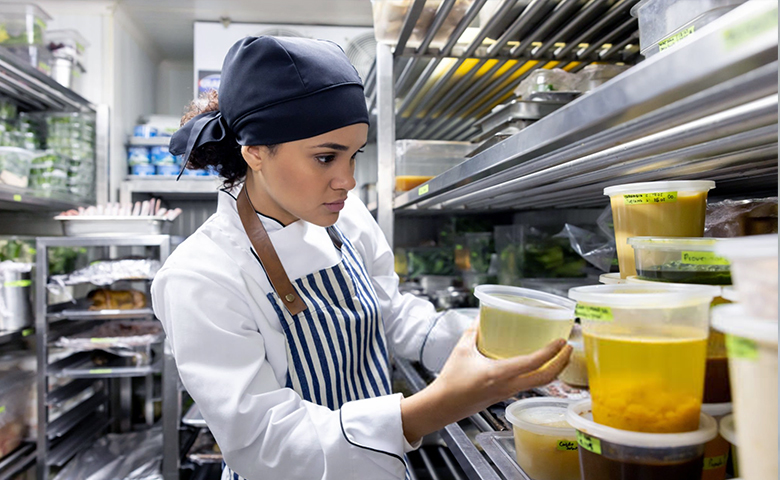
The second step is to organize the physical space of the inventory. For restaurants, it's essential to have the 3 basic types of storage: dry, refrigerated and frozen.
Every item in inventory should have its own fixed, permanent spot — that way you don't spend ages looking for an ingredient because the storage layout is different every day. Use labels to mark the location and make counting, picking and restocking easier.
Another point that deserves attention is product rotation. A good practice when restocking is to pull what's already there to the front and put the new stock behind. That way you keep products from going past their expiration date.
4. Separate the central inventory from the kitchen inventory
Once the central inventory is organized, create a separate inventory for the kitchen as well. Keeping the two apart is essential to prevent cooks from pulling ingredients while preparing dishes and forgetting to record the withdrawal.
The best practice is simple: keep a central inventory and a kitchen inventory. Every day or week, count the kitchen inventory and see what needs restocking. Then pull those items from the central inventory, recording everything properly, and send them to the kitchen.
Control the inflow and outflow of ingredients for each one separately. Whenever a customer orders a dish, the ingredients must be deducted from the kitchen inventory. That way, you never lose control.
5. Do a product count or inventory
The name says it all: you count the products in your inventory and check whether the numbers add up and whether what you have on hand is enough to meet that week's demand.
If something is missing, you place an order with the supplier and restock the item.
By analyzing your inventory counts, you can measure more precisely how many ingredients your restaurant needs and optimize your purchasing.
You can also identify which items move fastest and which sit longest in inventory. From there, you know what needs restocking most often and what you need to watch so it doesn't expire.
The count is also when you check expiration labels and take the chance to maintain the inventory, removing anything expired and cleaning and organizing whatever needs it.
The recommendation is to run this process at least once a week.
Learn more: 7 steps to take a restaurant inventory
Tip: automate inventory control for more efficiency and security
As you can see, restaurant inventory control is a fairly complex process, which is why our final tip is: use an automation system to make your job easier!
O EPOC, for example, is a management solution that connects everything from the checkout counter to the inventory, all automatically. So when your customer places an order, the system records the inventory deduction right away. That's a gain in efficiency, control and security.
Learn more: Bar and restaurant management systems: see the advantages
Want to know how we can help your restaurant boost its results? Keep following our content or, if you'd like, talk to our specialists.